mirror of
https://gitee.com/akwkevin/aistudio.-wpf.-diagram
synced 2026-03-11 20:19:26 +08:00

90 lines
4.5 KiB
Markdown
90 lines
4.5 KiB
Markdown

|
|
========
|
|
[](https://gitter.im/ButchersBoy/Dragablz?utm_source=badge&utm_medium=badge&utm_campaign=pr-badge&utm_content=badge)
|
|
[](http://www.nuget.org/packages/Dragablz/)
|
|
[](https://ci.appveyor.com/project/ButchersBoy/dragablz)
|
|
[](https://github.com/ButchersBoy/Dragablz/issues)
|
|
[](https://twitter.com/James_Willock)
|
|
## Tearable tab control for WPF, which includes docking, tool windows and MDI.
|
|
|
|

|
|
|
|
<sup>Illustrates basic theme, more themes at end of page</sup>
|
|
|
|
- Docs 'n' help 'n' stuff: [dragablz.net](http://dragablz.net/)
|
|
- NuGet details here: http://www.nuget.org/packages/Dragablz/
|
|
- You can criticise the developer here: [@James_Willock](https://twitter.com/James_Willock) or here: [james@dragablz.net]
|
|
- No, seriously, please get involved and give me a ping with any questions/requests.
|
|
|
|
## Minimal XAML:
|
|
|
|
XAML as simple as this will give you a tab the tears out (using the basic theme).
|
|
|
|
```xml
|
|
<dragablz:TabablzControl Margin="8">
|
|
<dragablz:TabablzControl.InterTabController>
|
|
<dragablz:InterTabController />
|
|
</dragablz:TabablzControl.InterTabController>
|
|
<TabItem Header="Tab No. 1" IsSelected="True">
|
|
<TextBlock>Hello World</TextBlock>
|
|
</TabItem>
|
|
<TabItem Header="Tab No. 2">
|
|
<TextBlock>We Have Tearable Tabs!</TextBlock>
|
|
</TabItem>
|
|
</dragablz:TabablzControl>
|
|
```
|
|
## Features:
|
|
|
|
- Drag and tear tabs
|
|
- User friendly docking
|
|
- Floating tool windows & MDI
|
|
- Supports MVVM
|
|
- IE style transparent Windows
|
|
- Fully style-able, included styles:
|
|
- Basic
|
|
- MahApps: [demo](https://github.com/ButchersBoy/DragablzSamplez) | [theme](https://github.com/ButchersBoy/Dragablz/blob/master/Dragablz/Themes/MahApps.xaml) | [MahApps](https://github.com/MahApps/MahApps.Metro)
|
|
- Material Design: [tutorial](http://dragablz.net/2015/02/09/how-to-use-the-material-design-theme-with-dragablz-tab-controlgithub/) | [theme](https://github.com/ButchersBoy/Dragablz/blob/master/Dragablz/Themes/MaterialDesign.xaml) | [guidelines](https://www.google.com/design/spec/style/color.html#color-ui-color-application) | [Material Design in XAML Toolkit](https://github.com/ButchersBoy/MaterialDesignInXamlToolkit)
|
|
- Chrome style trapzoid tabs
|
|
- Custom (and optional) Window which supports transparency, resizing, snapping, full Window content.
|
|
- Miminal XAML required, but hooks provided for advanced control from client code
|
|
- Single light weight assembly targeting .net 4.* frameworks, no additional dependencies
|
|
- Demos in source (make sure you restore NuGet packages)
|
|
|
|
## Want to say thanks?
|
|
* Hit the :star: Star :star: button
|
|
* <a href='https://pledgie.com/campaigns/31029'><img alt='Click here to lend your support to: Material Design In XAML Toolkit/Dragablz and make a donation at pledgie.com !' src='https://pledgie.com/campaigns/31029.png?skin_name=chrome' border='0' ></a>
|
|
|
|
## Getting Started:
|
|
|
|
Here are some helpful blog posts to help you get started:
|
|
- [Getting Started](http://dragablz.net/2014/11/18/getting-started-with-dragablz-tabablzcontrol/)
|
|
- [MDI](http://dragablz.net/2015/01/26/mdi-in-wpf-via-dragablz/)
|
|
- [MahApps Styles](http://dragablz.net/2015/01/06/dragablz-meets-mahapps/)
|
|
- [Material Design 1](http://dragablz.net/2015/02/09/how-to-use-the-material-design-theme-with-dragablz-tab-controlgithub/)
|
|
- [Material Design 2](http://dragablz.net/2015/02/25/material-design-in-xaml-mash-up/)
|
|
|
|
## In the pipeline:
|
|
|
|
- Layout persistance and restore
|
|
- Extra themes
|
|
|
|
## Some examples:
|
|
|
|
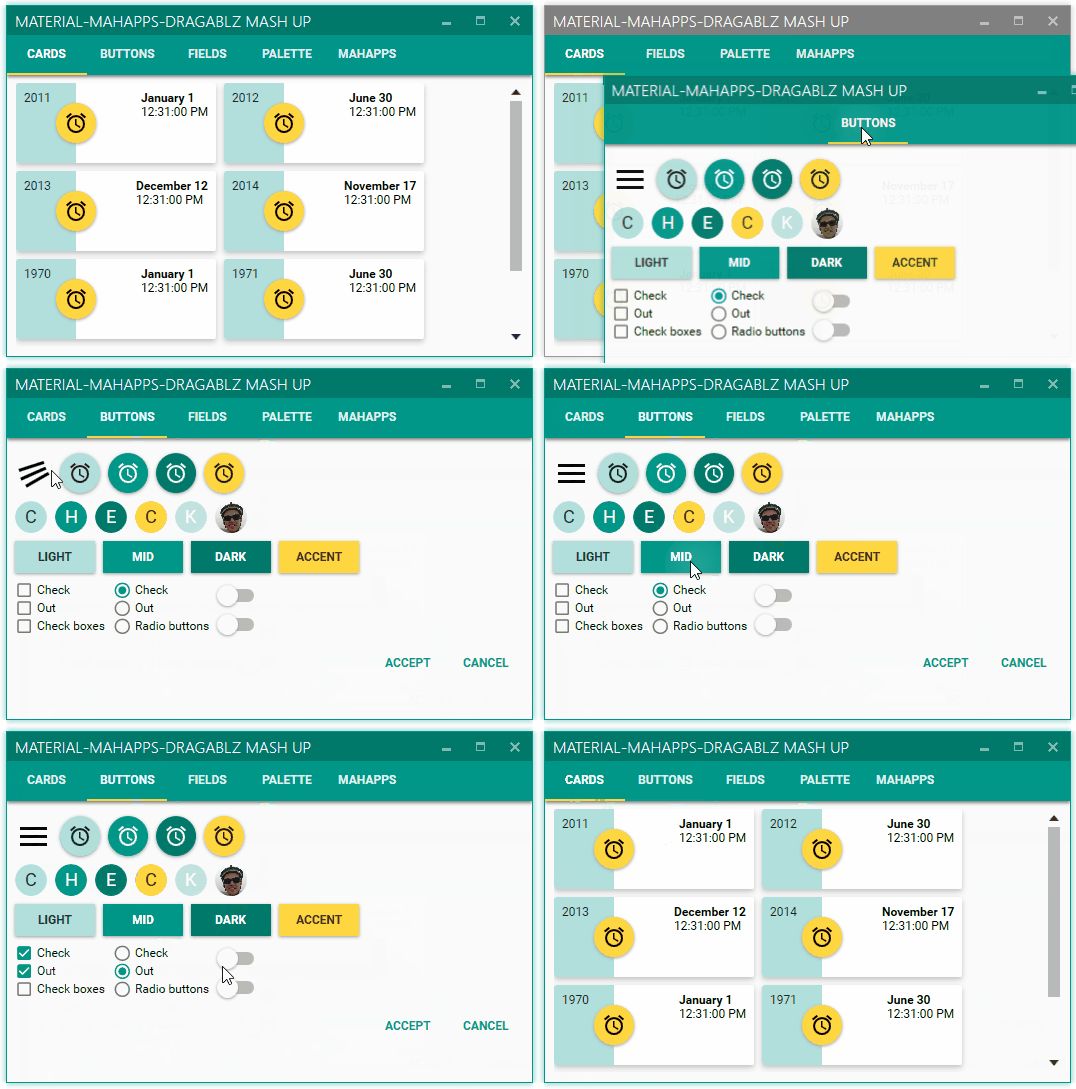
Material Design theme (see [Material Design in XAML Toolkit](https://github.com/ButchersBoy/MaterialDesignInXamlToolkit)):
|
|
|
|
|
|
|
|
Docking:
|
|
|
|

|
|
|
|
MDI:
|
|
|
|

|
|
|
|
MahApps theme:
|
|
|
|

|
|
|
|
|

